If a scheduled social post reports an error, immediately resending the same content can duplicate a post that is already public. Do not reduce the result to a binary error-or-success label. Match the management record and provider original in the same evidence row.
The free Social Publishing Proof Checker uses five observable fields to classify the next action into four outcomes. The examples below cover a partially published thread and a delayed public update after the management screen reports a save—two cases that are easy to misread in day-to-day social media operations.
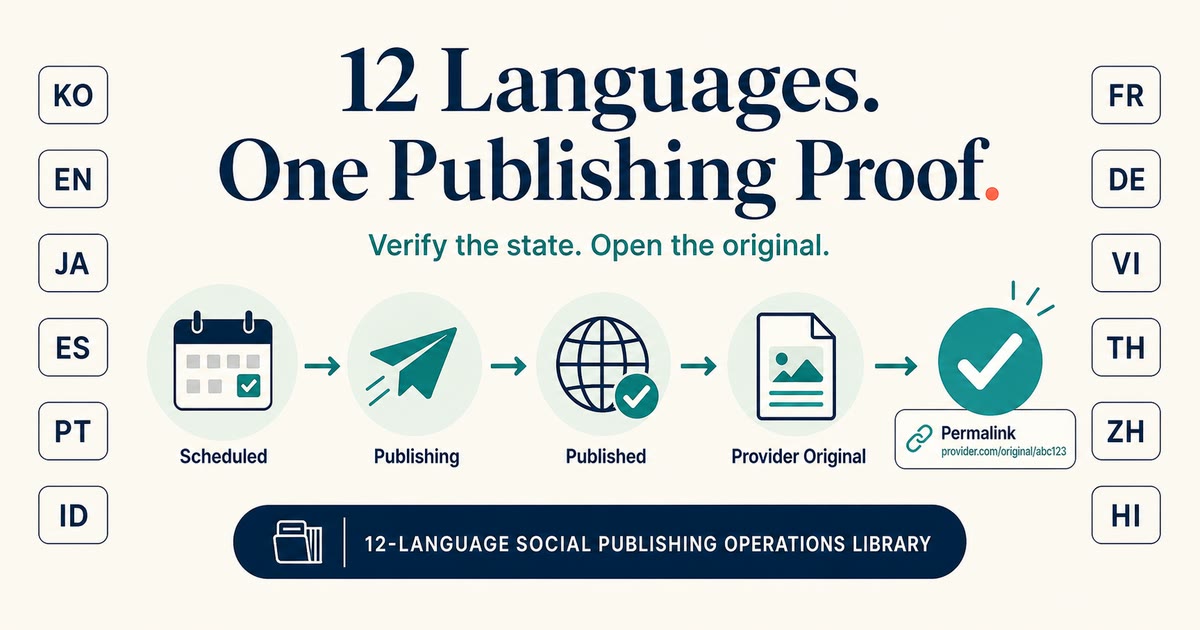
scheduled, failed, and published are not enough
The status of a scheduled posting tool indicates the last known action of the tool. On the other hand, the results that readers see are on the screen of the social network provider. The two screens have different update times and units of evidence.
For example, even if failed indicates that it did not receive a response, it may not prove that there is no post on the provider side. published However, only the root is public and the reply is missing, or the URL string is visible but cannot be clicked.
Both the state and the original post are required to determine whether to retry.
5 items to record in 1 minute
Leave the following 5 items on one line for each scheduled post.
- Channel and Account: Publication name assumed for publication destination
- Scheduled time: Scheduled time including time zone
- Content ID or Job ID: Stable ID that tracks the same processing
- Last observed state:
scheduled,publishing,published,failed, etc. - Original post URL and publication result: Correct, Partially published, Not found, Private, Unconfirmed
Do not enter passwords, access tokens, private prompts, customer information, or signed URLs. All you need is operational metadata and publishing results.
Result 1: Confirmed
If the terminal status, assumed account, stable ID, and original post on social media match, it is "confirmed".
If not only the main text but also the necessary images, root and reply structure, and link clickability are as intended, save the evidence line and exit. I will not repost.
Result 2: Verify before retrying
If the management screen shows a failure but you cannot deny the possibility that there is a post on the provider side, select "Verify before retrying".
In the actual operation of Japanese Threads, the reserved root was made public, but the reply stage became provider_unavailable, and the carrier of the UTM link that was scheduled to be included in the reply was not created. If you call the whole thing a success, you may overlook missing replies, and if you call the whole thing a failure and resend it, there is a risk of duplicate published roots.
In this case, record root and reply as separate provider objects and check only unresolved replies. The entire process, including the published part, will not be retryted.
Result 3: Wait
If the status is scheduled or publishing and the confirmation time is still within the expected range, it is "waiting".
Even if you can save profile changes in YouTube Studio, they may not always be reflected on your public channel profile at the same time. Record "Save completed" and "Publicly confirmed" separately and decide the next confirmation time. Pressing the save button repeatedly does not validate the publishing.
Waiting requires a deadline. Leave the scheduled time, last updated time, and next check time on the same line.
Result 4: Pending (unknown)
If there is no stable ID or original posting URL and the publication result cannot be determined, it is "pending (unknown)".
Replacing unknown with failure may cause retries to create a new provider object. Stop automatic recovery and check where the evidence ends on the account, ID, and provider screens.
A hold is not an abandonment of work. We are waiting for evidence to continue safely.
Check the root, replies, and links separately
In Japanese social media operations, it is easy to conclude that the posting is complete just by publishing the main text of the post, but if you separate multiple elements, you can reduce misjudgments.
| What to check | What to observe | Common misjudgments |
|---|---|---|
| root | Public account, body, provider ID | If root is present, the entire thread is considered successful |
| reply | reply ID, order, body | Don't see missing replies |
| URL | Character string, actual anchor, transition destination | If the URL is visible, it is considered clickable |
| Public profile | Was the saved content reflected on the public screen? | I think it's published just by completing the save in Studio |
This table is not used to infer causes, but to avoid confusing observed results.
A 60-second workflow
- Check the channel, account, scheduled time, ID, and final status from the scheduled posting tool.
- Open the original post URL, if available, and check the root, reply, image, link, and public account.
- Select the publishing result from "Correct", "Partially Published", "Not Found", and "Unconfirmed".
- Read the 4 results of the checker and decide whether to follow the same ID, wait, or hold off.
- Save the evidence line with the observation time and restore only the necessary range.
Open the free Social Publishing Proof Checker
The checker only works within the browser. No login required, and your input will not be submitted or saved. Please copy the necessary records to your own operational ledger.
FAQ
Can I try again if failed?
First, check the provider ID, original post URL, and public posts from the same time period. If we cannot exclude the possibility that a post from the provider side exists, we will check it before retrying.
Is it successful if only the root is public?
Partial release. Records roots and replies separately, does not resend published roots, and only checks the status of missing replies.
Does the checker connect and post to social media?
I don't. This is an in-browser decision aid that does not connect accounts, generate text, make reservations, or publish.
How ANKK fits into this workflow
I'm Minho Jung, who runs ANKK. ANKK is not a built-in AI text generation tool. Connects content prepared by humans, external AI, or scripts to multiple social schedulings, terminal status, and original post confirmation from the provider.
Free Checker is an independent local judgment tool. If you want to track the same line of evidence by channel in regular operations, you can use ANKK's scheduling/status/provider-original post confirmation flow.
See ANKK reservation/publication status/original post confirmation